Dynamic Volume Trend: How to Trade It, With Its Default Settings
Dynamic Volume Trend waits for a real trend change, checks that volume backs it, refuses to fight the bigger move, and then lets the winner run with a stop that only ever tightens. It is built into Market Open and free. On TradingView, a tool like this usually means a paid plan or an invite-only script, and you would still be left tuning it for every timeframe yourself. Here the tuned settings load on their own.
 Himbit Academy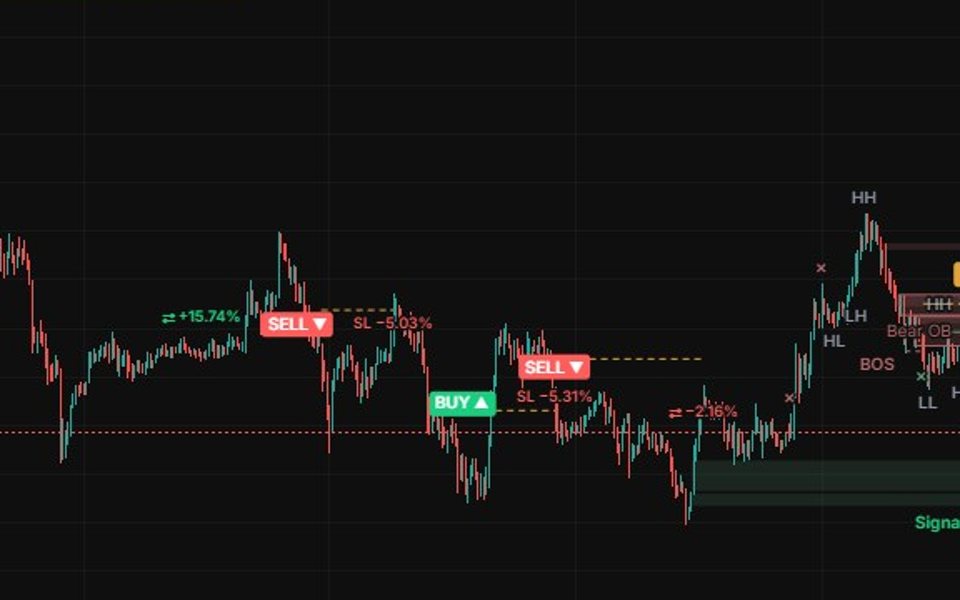
What it does, in one breath
- A Kalman filter tracks price smoothly, with a band of ± ATR around it. When price closes outside the band and the volume delta agrees, the trend turns.
- The turn becomes a signal only with the EMA 200 trend: BUY ▲ when price is above the EMA 200, SELL ▼ when it is below. A break against the trend is ignored.
- The stop sits ATR(200) × 3 from the entry. Another signal in the same direction pulls it closer. It never moves back.
- There is no fixed target. The trade runs until the stop is hit or an opposite signal closes it, and that opposite signal opens the other side only if the trend allows it.
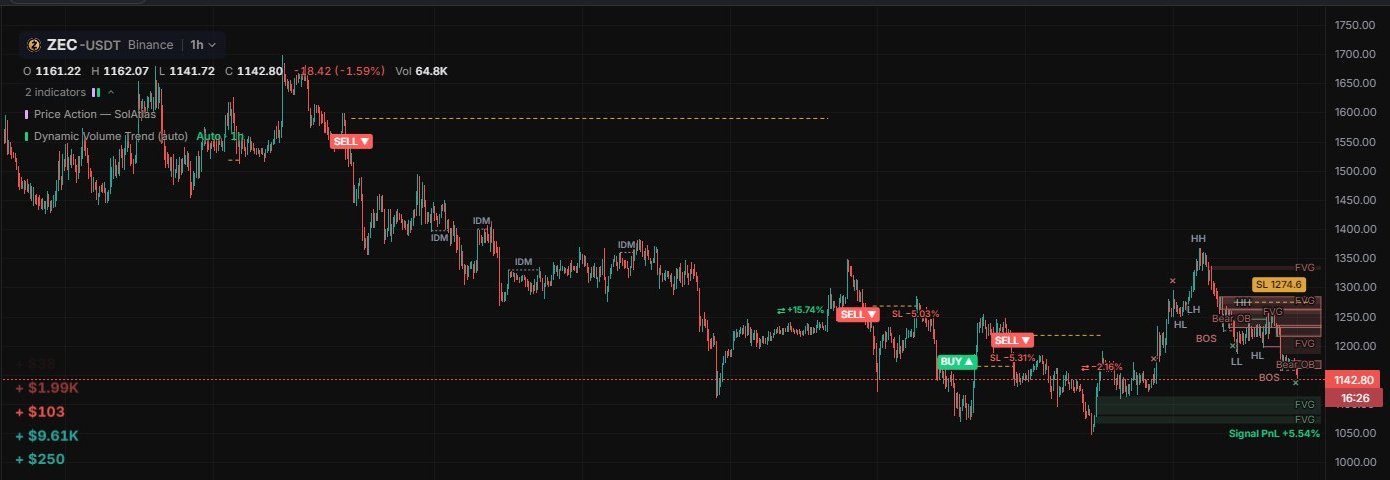
Settings by timeframe: tuned for you
Settings by timeframe is on by default. Each time you change the chart's timeframe, the matching profile loads by itself, and the legend tells you which one is running, for example Auto · 1h. A ⚠ appears where the profile is a warning rather than a recommendation.
| Timeframe | Profile | Status |
|---|---|---|
| 1h | Band × 2, EMA 200, stop ATR(200) × 3 | Tested, the best profile |
| 30m | Same as 1h | Profitable in testing, thin margin |
| 15m | Same as 1h, plus taker flow agrees | Profitable in testing, thin margin |
| 1m, 3m, 5m | EMA 200 only | ⚠ No profitable setting was found |
| Above 1h | The 1h profile | ⚠ Not tested there |
"Taker flow agrees" means the taker buy volume minus sell volume over the last 20 bars must point the signal's way. It uses Binance markets' taker data.
Manual inputs and their ranges
Turn off Settings by timeframe and these inputs take over:
| Input | Default | Range |
|---|---|---|
| Band (× ATR) | 2 | 0.5 – 5 |
| Trend filter EMA | 200 | 0 – 1000 (0 = off) |
| Taker flow agrees | Off | On / Off |
| Stop (× ATR 200) | 3 | 1 – 10 |
| Volume threshold | 0.3 | 0 – 1 |
Display options: Signals shown 10 (1 – 50), Stop line (amber, stepping as it trails), Result of closed trades (SL −x % or ⇄ ±x %), and Signal PnL (latest signal) beside the last candle. BUY is drawn in #1ace80, SELL in #ff5c5c. Alerts: BUY signal, SELL signal and Stop hit.
Signals are read on a 1000-bar window at each closed bar, the same way they were tested, so the chart loads extra history while the indicator is on.
How to trade it
- Start on 1h. That is the tested profile. Pick markets that trend for days rather than chop sideways: in testing, altcoins with long trends did best, and BTC and ETH were weak.
- Take the signal at the close. A BUY or SELL is confirmed when the bar closes. Your stop is the amber line.
- Let it run. There is no target to aim for. Most of the result comes from a few long trends, so cutting winners early defeats the design. A repeated signal in your direction tightens the stop for you.
- Exit on the stop or on the opposite signal. If the opposite signal comes against the trend, you are simply flat until the next valid one.
- Expect to lose more often than you win. This style typically wins around three trades in ten, and relies on the average win being much bigger than the average loss. A run of small losses is normal, not a sign that something broke.
Size it so the losing runs don't hurt
The stop is three times the long-term ATR, which is wide by design. Keep leverage low, around 3x at most, or size each trade so a stop-out costs a fixed 0.5–1 % of the account. Since losses come in runs, that is what keeps you around for the trends that pay for them.
Honest limits
- The tested profile is 1h. Results on 15m and 30m were thin, and on 1–5 minutes no setting made money.
- A trend-following tool gives back profit in sideways markets. You will see clusters of small stop-outs.
- Backtests show the past on the markets that were tested. They say nothing certain about the next trade.
For the bigger picture of why a trend filter and a strict signal work better together than either alone, see Stacking Indicators: Why Three Filters Beat One Signal.
Try it on Market Open
- Open ZEC or XRP on the 1h chart and add Dynamic Volume Trend. Check that the legend reads Auto · 1h.
- Scroll back through the last month and follow each BUY / SELL to its result tag. Count how many were small stop-outs and how much the best two trends made.
- Switch the chart to 5m and watch the legend show the ⚠ profile. Switch back.
- Add an alert on BUY signal or SELL signal for a market you follow. Alerts only fire while Market Open is open in your browser.
Educational content, not investment advice. Leveraged trading can lose more than your margin.